How Multi-Cloud Platforms Manage AWS Costs

Managing AWS costs in a multi-cloud setup is challenging but achievable with the right strategies. Here's what you need to know:
- Key Challenges: Different billing formats (AWS CUR, Azure Cost Export, GCP BigQuery), varying pricing models (e.g., per-second vs. per-minute billing), and mismatched commitment programs make cost tracking difficult.
- Cost Wastage: Multi-cloud environments often waste 20–35% of budgets due to idle resources, data egress fees, and poorly managed commitments.
- Solutions: Centralized billing, consistent tagging, and automation are essential for reducing waste and improving cost efficiency.
- Centralized Billing: Combine AWS, Azure, and GCP cost data for a unified view using tools like AWS QuickSight or custom pipelines.
- Consistent Tagging: Use a standardized tagging system (e.g., cost-center, owner) across all clouds to track spending accurately.
- Automated Commitments: Platforms like Opsima optimize AWS Savings Plans and Reserved Instances in real-time, saving up to 40% on cloud bills.
Real Results: Companies have achieved significant savings - up to 45% - by resizing resources, optimizing storage, and automating cost management. For example, Drift saved $2.4M with a unified cost management approach. Tools like Opsima simplify this process by automating decisions and adapting to changing usage.
If you're managing AWS costs in a multi-cloud environment, these strategies can help you regain control and reduce waste effectively.

Multi-Cloud AWS Cost Management: Key Statistics and Savings Opportunities
Normalization of Multi-Cloud Data Sets for Cloud Cost Management
Challenges of Managing AWS Costs in Multi-Cloud Environments

Running workloads across AWS, Azure, and GCP comes with its own set of hurdles. Each cloud provider handles billing and reporting differently: AWS uses Cost & Usage Reports (CUR), Azure relies on Cost Management exports, and GCP integrates with BigQuery. These variations make it necessary to standardize data formats to achieve a cohesive view.
"Nothing maps cleanly between providers, and that's the root of the problem." - nOps
Here’s a closer look at the obstacles that make managing AWS costs in a multi-cloud setup so challenging.
Different Billing Structures Across Cloud Providers
Billing discrepancies go beyond where data is stored. For example, AWS and GCP charge per second for most services, while Azure has traditionally billed per minute for certain workloads. AWS also separates costs for API calls, inter-zone data transfers, and storage requests, which can lead to unexpected expenses. On the other hand, Azure’s Hybrid Benefit allows you to use existing Windows and SQL Server licenses, while GCP automatically applies Sustained Use Discounts for prolonged workloads.
One compelling case study illustrates the potential for savings: A Boise-based software company spending $85,000 monthly across AWS, Azure, and GCP managed to slash costs by 45% ($38,000/month) in just six months. They achieved this by consolidating monitoring, resizing oversized instances (e.g., switching from AWS m5.xlarge to GCP e2-standard-2), and optimizing storage tiers.
Managing AWS-Specific Commitment Models
AWS offers Savings Plans and Reserved Instances, but these commitment models are exclusive to its platform, adding complexity when managing multiple providers. Each cloud provider has its own approach to commitments: AWS Savings Plans allow flexibility across instance families but require a baseline usage commitment, Azure Reservations are tied to specific subscriptions, and GCP’s Committed Use Discounts apply at the project level. This forces teams on their FinOps maturity journey to juggle multiple workstreams, regularly tracking usage and reviewing commitments for each provider.
"Over-committing on AWS while under-utilizing Azure capacity (or vice versa) is a common pattern. It's also entirely fixable - but only if you have cross-provider visibility." - nOps
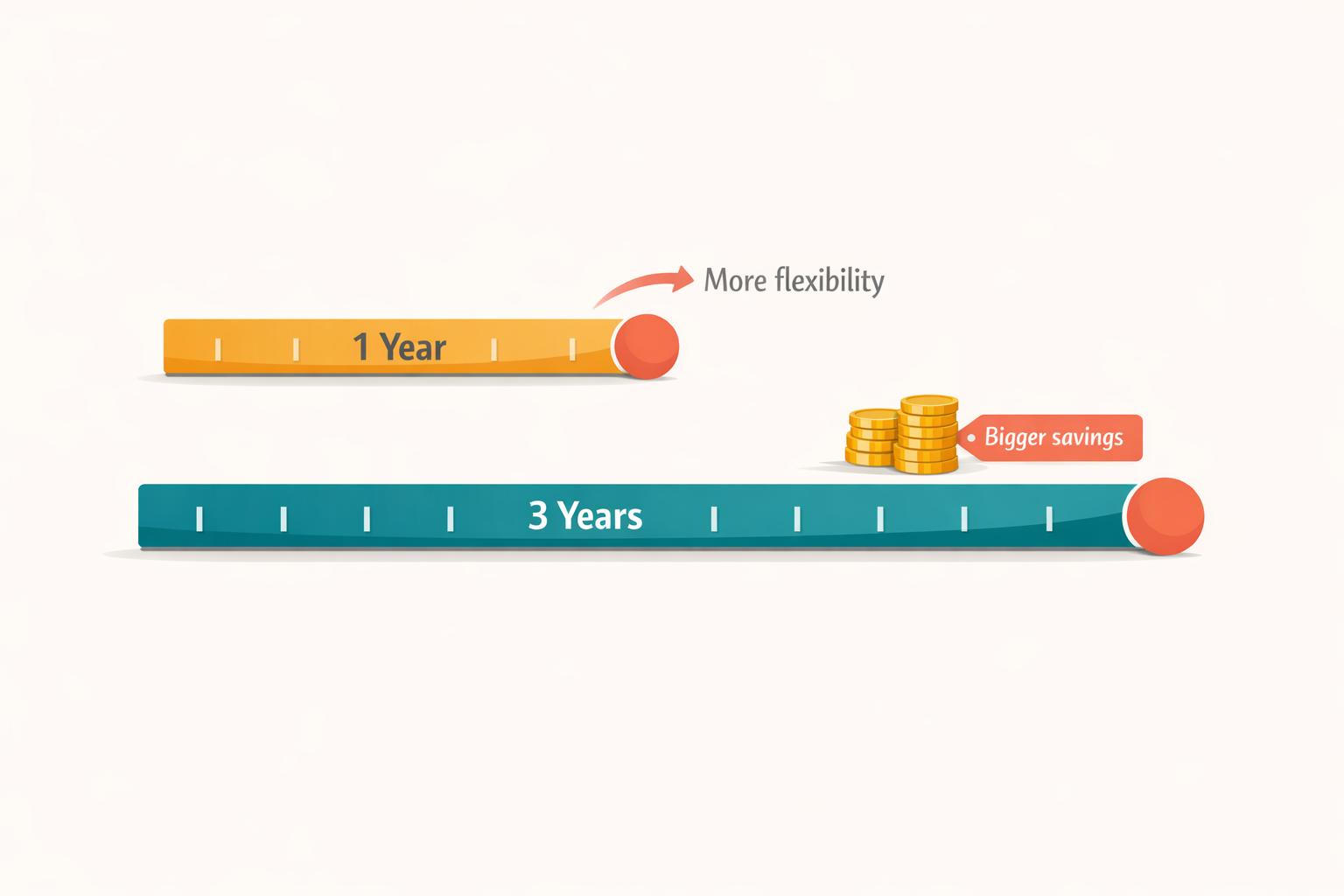
The challenge intensifies with multi-year commitments. Workload shifts between providers - a frequent occurrence in multi-cloud setups - can render carefully planned 1-year or 3-year AWS commitments into wasted expenses. With only 39% of organizations able to track unified spend across platforms, it's often unclear where over-commitments or under-utilized resources exist. Without accurate forecasting, maintaining a cohesive cost strategy becomes nearly impossible.
Limited Cross-Platform Cost Visibility
Troubleshooting cost spikes without a unified view is a tedious, manual process. Take data egress fees, for example. These often-overlooked charges for moving data between clouds or regions can account for 10–15% of your total bill. When teams working in Azure are unaware of what's happening in AWS, idle resources and underused capacity can go unnoticed.
Some companies have tackled this issue by adopting a unified cost intelligence approach. For instance, Drift saved over $2.4 million by implementing a cross-provider cost management layer. Similarly, Remitly improved cost allocation accuracy by more than 50%, eliminating the need for additional manual tagging by shifting to a unified model. The common denominator? Both organizations stopped focusing on individual cloud environments and started analyzing their entire infrastructure as one system.
Strategies for Managing AWS Costs in Multi-Cloud Platforms
Tackling multi-cloud billing challenges requires clear strategies like centralized visibility, consistent tagging, and automating AWS commitment management. These approaches aim to establish governance that minimizes waste and optimizes spending.
Create Centralized AWS Billing Visibility
To manage costs effectively, combine your AWS billing data with data from Azure and GCP. Using AWS Data Exports for FOCUS 1.0, you can standardize the Cost and Usage Report (CUR) according to the FinOps Open Cost and Usage Specification. Once standardized, tools like Amazon QuickSight can help create unified dashboards to visualize costs across multiple cloud providers. For example, Perfios utilized this method to develop a unified dashboard, which improved its control over cloud expenses.
If your organization has multiple AWS payer accounts, AWS Resource Access Manager (RAM) allows you to view consolidated billing data without requiring a complete reorganization.
For those building custom pipelines, a serverless setup can be cost-effective. Using AWS Glue for ETL, Amazon Athena for querying, and Amazon S3 for storage, you can process around 2GB of data daily for under $100 per month. In 2025, Peraton implemented "CloudSPARCC", a multicloud FinOps solution based on this stack, which reduced costs by 96.4% compared to a previous third-party tool.
However, centralizing billing data isn’t enough - consistent resource tagging is equally critical for precise cost tracking.
Use Consistent Tagging Across Cloud Providers
Consistent tagging is the backbone of effective cost allocation and waste reduction. Start by creating a unified tagging dictionary that applies to AWS, Azure, and GCP. Since GCP has stricter label requirements (e.g., lowercase, no colons, max 63 characters), it’s best to adopt an all-lowercase, hyphen-separated format for all tags.
Focus on six essential tags for every resource: cost-center, environment, owner, project, service, and managed-by. Use tools like AWS Service Control Policies (SCPs), Azure Policy, and GCP Organization Policy constraints to enforce these tags.
For example, an Israeli SaaS firm in its Series C funding stage retroactively tagged 2,400 resources. This effort reduced their monthly cloud expenses by $47,000 and increased tagging compliance to 98% within just 90 days.
"Tags are the foundation of multi-cloud cost governance. Without consistent tagging across every provider, cost allocation, chargeback, and optimization are guesswork." – HostingX
To streamline tagging, leverage Infrastructure as Code tools like Terraform or Pulumi to apply tags during resource provisioning. Additionally, integrate cost guardrails into CI/CD pipelines using Open Policy Agent (OPA) to block deployments missing required tags.
Once centralized billing and tagging systems are in place, automation can take AWS commitment management to the next level.
Automate AWS Commitment Decisions
Managing AWS Savings Plans and Reserved Instances manually in a multi-cloud setup can be time-consuming and error-prone. Automation simplifies this process, reducing the risks tied to long-term capacity contracts.
Modern automation platforms can adjust commitment portfolios hourly, responding to real-time usage far more effectively than quarterly manual reviews. These platforms often rely on probabilistic forecasting to manage costs under uncertain conditions. Some even utilize risk transfer models to absorb the cost of underutilized resources. For instance, a security and data solutions company used hourly compute visualizations to uncover optimization opportunities, cutting its Amazon EC2 costs by $20,000 per month - an 8% reduction in total compute expenses.
Opsima offers a solution for automating AWS commitment management without requiring infrastructure changes. By continuously optimizing Savings Plans and Reserved Instances across key AWS services like EC2, ECS, Lambda, RDS, and more, Opsima delivers up to 40% savings on cloud spending. Plus, it provides flexibility to adapt as usage evolves, with a quick 15-minute onboarding process and no need for access to customer data.
How Opsima Automates AWS Rate Optimization

Opsima takes AWS cost management to the next level by automating commitment decisions at the billing level. This means you can optimize your AWS expenses without making any changes to your infrastructure. The platform handles the entire lifecycle of Savings Plans and Reserved Instances by keeping a constant eye on AWS usage and making real-time adjustments to commitments. This eliminates the guesswork and potential errors that often come with manual forecasting and commitment management.
Getting started with Opsima is quick and easy. The platform only requires "least privilege" access - specifically, the ability to purchase Savings Plans and Reserved Capacity. It integrates into your AWS environment with minimal risk, offering a smooth, automated process for real-time commitment adjustments.
Opsima's Automated Commitment Management Process
Opsima's automation engine works by combining Savings Plans and Convertible Reserved Instances to ensure maximum coverage across various environments, including multi-region setups, Lambda, and Fargate, while keeping term control and database needs in check. It actively monitors the AWS Spot market, real-time resource usage, and current commitments to uncover opportunities for cost optimization - all without requiring manual input.
As your AWS usage changes, Opsima's system automatically handles forecasting, rightsizing, exchanging, and reselling commitments to match your needs. It takes into account any existing Savings Plans and Reserved Instances, ensuring its strategy focuses on delivering additional savings. Importantly, Opsima doesn’t charge fees on pre-existing commitments. If the platform purchases commitments that later become unnecessary, it tries to sell or transfer them. And if those efforts don’t pan out, Opsima reimburses you.
Benefits of Using Opsima for AWS Cost Management
Opsima’s automation delivers measurable results. It supports a wide range of AWS services, including EC2, ECS/Fargate, Lambda, RDS, ElastiCache, OpenSearch, and SageMaker. On average, customers see up to 40% savings on their cloud bills, with some experiencing immediate reductions. For instance, one company reported a 34% drop in their AWS costs shortly after signing up.
The pricing model is simple: Opsima works on a "pay-as-you-save" model, charging a small percentage of the money it saves you each month. There are no upfront costs, and payments are processed directly through the AWS Marketplace. Plus, you can cancel anytime with just a 30-day notice, giving you complete control.
"Opsima helped us cut our AWS bill by over 30% without changing a single line of code. It's like free money we didn't know we were leaving on the table." – Raphaël Marques, Head of Engineering, Figures
Conclusion
Managing AWS costs in multi-cloud environments becomes far more efficient with three key strategies: centralized visibility, consistent tagging, and automated commitment optimization. Together, these approaches create a practical framework for keeping expenses under control. Centralized visibility allows you to standardize billing data across platforms, consistent tagging ensures you can account for every dollar, and automation adjusts Savings Plans and Reserved Instances in real time to match actual usage.
The results can be striking. For instance, an Israeli SaaS company managed to cut its monthly cloud expenses from $167,000 to $120,000 - a 28% reduction - in just 90 days , similar to how Coconut slashed cloud costs using dynamic commitment management, by implementing tagging rules, centralized dashboards, and automated commitment management.
Automation takes these efforts even further. Platforms like Opsima can deliver 20% more savings compared to manual methods by continuously optimizing commitments. They simplify the process, removing the need for infrastructure changes or customer data access, while achieving 40% savings on AWS bills. This frees up engineering teams to focus on innovation rather than digging through billing records.
Lyne Carolyne, a FinOps Specialist, sums it up perfectly:
"The core question in multi-cloud cost management isn't just 'where is the spend?' It's 'was it worth it?'"
FAQs
What’s the best way to unify AWS, Azure, and GCP billing data?
Unifying billing data from AWS, Azure, and GCP means bringing all cost and usage details together into one standardized format. Tools like the FinOps Open Cost and Usage Specification (FOCUS) provide a framework to make this process smoother. For instance, AWS supports FOCUS exports, making it easier to visualize and analyze billing data.
Multi-cloud cost management platforms play a key role here. They gather billing data from different providers and align it with shared categories, such as specific teams or services. This unified view helps businesses better manage expenses and identify opportunities to streamline costs.
Which tags are must-have for accurate multi-cloud cost allocation?
Accurate multi-cloud cost allocation relies on a few key tags: project, environment, business unit, and cost center. These tags play a crucial role in tracking and assigning costs properly across different cloud platforms, helping organizations manage their expenses and streamline spending.
How can Opsima lower AWS costs without changing infrastructure?
Opsima helps lower AWS costs by automating the management and optimization of commitment decisions, like Savings Plans and Reserved Instances. This approach ensures that customers consistently get the lowest possible rates for their current usage. The result? Cloud spending can drop by as much as 40%, all without needing to make any changes to your existing infrastructure.