How Data Access Patterns Affect S3 Storage Costs


Your S3 storage costs depend on both the amount of data stored and how you access it. Choosing the right storage class can save you up to 95% on costs, but using the wrong one can lead to overspending. Here's the key takeaway:
- Access frequency matters: Storing rarely accessed data in S3 Standard can cost 23x more than using S3 Glacier Deep Archive.
- Storage classes vary: Options like S3 Standard, Standard-IA, Glacier, and Intelligent-Tiering cater to different access needs, balancing storage fees, retrieval costs, and speeds.
- Hidden fees exist: Retrieval charges, minimum storage durations, and monitoring fees can inflate costs if not managed carefully.
- AWS tools help: Use S3 Storage Class Analysis and S3 Storage Lens to monitor access patterns and optimize storage usage.
Start by analyzing your data access habits. For predictable patterns, lifecycle policies can automate cost-saving transitions. For unpredictable usage, Intelligent-Tiering adjusts automatically. The wrong choice can cost thousands, but aligning storage classes with actual usage ensures efficiency.
Cost of S3 Standard vs S3 Standard IA
The Problem: Wrong Storage Classes Drive Up Costs

AWS S3 Storage Classes Cost Comparison: Annual Costs for 1TB Data
Storing Infrequently Accessed Data in S3 Standard
Using S3 Standard for data that's rarely accessed can drain your budget unnecessarily. At $0.023 per GB per month, it’s not the most cost-efficient choice for backups, old logs, or compliance files that often remain untouched for months.
Here’s an example: storing 10 TB of data in S3 Standard for a year costs about $2,830. Compare that to S3 Glacier Deep Archive, which would cost just $120 for the same amount of data. Even switching to S3 Standard-IA can cut monthly storage costs by approximately 46% compared to Standard.
Real-world examples highlight these savings. In January 2026, Max Schultze, a lead data engineer at Zalando, shared how the company slashed its storage costs by 37% annually by using S3 Intelligent-Tiering to automatically move data untouched for 30 days to an infrequent-access tier. Similarly, Teespring reduced its monthly S3 storage expenses by more than 30% by combining S3 Glacier with S3 Intelligent-Tiering for their massive datasets.
But while these savings are appealing, there are potential pitfalls when transitioning to other storage classes.
Hidden Costs in Standard-IA and Glacier
Lower-cost storage classes often come with extra fees that can sneak up on you. For instance, S3 Standard-IA charges $0.01 per GB for retrievals. If data is accessed more often than expected, these fees can quickly outweigh any savings. Alexander Yu, a technical writer for AWS, cautions:
Minor lifecycle policy errors can add thousands to your AWS bill!
Another consideration is the 128 KB minimum charge per object applied by S3 Standard-IA, One Zone-IA, and Glacier Instant Retrieval. Even if your files are smaller, you’ll still pay for 128 KB per object. For workloads with millions of tiny files, this can make these storage classes pricier than S3 Standard.
Additionally, there are penalties for deleting or transitioning data before meeting the minimum storage duration. For example:
- Standard-IA requires a 30-day minimum.
- Glacier Instant Retrieval requires 90 days.
- Glacier Deep Archive requires 180 days.
If data is removed or moved too early, you’ll be billed for the remaining days. S3 Intelligent-Tiering also has a monitoring fee of $0.0025 per 1,000 objects, which can pile up if your bucket contains millions of objects.
These hidden costs can significantly alter your expense calculations, as seen in the table below.
Annual Cost Comparison Across Storage Classes
How often you access your data plays a big role in determining annual costs. Let’s break it down for 1 TB of data stored for one year with one retrieval per month:
| Storage Class | Annual Storage Cost | Retrieval Cost (1 Access/Mo) | Total Annual Cost |
|---|---|---|---|
| S3 Standard | $276 | $0 | $276 |
| S3 Standard-IA | $150 | $12 | $162 |
| S3 Intelligent-Tiering | $150 – $276* | $0 | $150 – $276 |
| S3 Glacier Instant Retrieval | $48 | $36 | $84 |
| S3 Glacier Deep Archive | $12 | $24** | $36 |
*Cost depends on the tier (Frequent vs. Infrequent).
**Assumes standard retrieval; expedited retrieval costs significantly more.
For this specific access pattern, S3 Standard-IA saves about $114 annually compared to Standard. However, if retrievals double to twice a month, those savings can disappear. S3 Intelligent-Tiering, on the other hand, removes retrieval fees entirely by dynamically shifting data between tiers, making it a safer option when you’re unsure about future access patterns.
How to Identify and Analyze Your Data Access Patterns
Using AWS Tools to Analyze Access Patterns
AWS offers several tools to help you understand your data access trends and make informed storage decisions. One such tool is S3 Storage Class Analysis, which monitors access patterns and suggests transitioning data from S3 Standard to S3 Standard-IA. It organizes objects by age (e.g., 0–14 days, 15–29 days, and so on) to pinpoint when retrieval activity starts to decline. Keep in mind, you’ll need at least 30 days of monitoring before receiving actionable insights.
For a broader organizational perspective, S3 Storage Lens provides an interactive dashboard with metrics on storage usage and activity. It can help you identify "cold" buckets that are rarely accessed and "hot" buckets with frequent activity by tracking retrieval rates and GET requests. The Advanced tier retains up to 15 months of data, allowing you to observe long-term trends. To calculate retrieval rates, divide the Download Bytes by Total Storage; a near-zero rate signals data suited for archival storage.
For more granular insights, you can integrate tools like S3 Inventory, AWS Glue, Athena, and QuickSight. This combination allows for detailed object-level analysis. You can also narrow your focus using up to 1,000 prefix or tag filters per bucket, which is particularly helpful if your bucket contains mixed data types (e.g., logs and media files). These AWS tools provide a solid foundation for optimizing your storage strategy.
Common Access Patterns and Their Storage Needs
Once you’ve reviewed your access patterns, match your storage classes to the observed usage. For regular access patterns - such as monthly backups, compliance archives, or old logs - S3 Lifecycle rules are a great fit. For example, if data is frequently accessed during the first 30 days and rarely touched afterward, you can automate a transition to S3 Standard-IA or S3 Glacier Deep Archive to save on costs.
For changing or unpredictable patterns, often seen in data lakes, machine learning datasets, or user-generated content, S3 Intelligent-Tiering is a better choice. This storage class automatically adjusts between frequent and infrequent tiers based on real usage, avoiding retrieval fees even during unexpected access spikes. Amazon Web Services highlights its versatility:
S3 Intelligent-Tiering is the recommended storage class for data with unknown, changing, or unpredictable access patterns, independent of object size or retention period.
If your data is accessed infrequently - once a year or less - S3 Glacier Flexible Retrieval or Deep Archive are cost-effective solutions, provided your application can handle retrieval times ranging from minutes to hours. Meanwhile, latency-sensitive applications requiring rapid access (e.g., single-digit millisecond response times) should use S3 Express One Zone, which is up to 10 times faster than S3 Standard and offers request costs that are 50% lower.
Object Size and Request Type Considerations
Object size and request patterns play a big role in fine-tuning your storage strategy. For instance, S3 Standard-IA, One Zone-IA, and Glacier Instant Retrieval all require a minimum billable object size of 128 KB. Files smaller than 128 KB are still billed as if they were 128 KB, which can make these classes costly for workloads with many small files.
Similarly, S3 Intelligent-Tiering does not monitor access patterns for objects smaller than 128 KB. These objects are always billed at the Frequent Access tier rate. If your dataset includes numerous small files, consider bundling them into larger archives (e.g., .zip or .tar) before transitioning to IA or Glacier classes to minimize unnecessary costs.
Request types also impact your expenses. Charges for GET, PUT, LIST, and Lifecycle transitions are based on volume, regardless of object size. For small objects, a high volume of API requests can lead to costs that exceed the storage savings. Additionally, S3 Glacier Flexible Retrieval and Deep Archive add 40 KB of metadata overhead per object (32 KB at Glacier rates and 8 KB at Standard rates), which can significantly increase costs for archiving very small files.
When setting up S3 Lifecycle rules, use filters to exclude objects under 128 KB from transitioning to IA classes. And don’t forget to run S3 Storage Class Analysis for at least 30 days before making any changes that could result in high retrieval fees.
Solutions: How to Choose the Right Storage Class
Best Storage Classes for Predictable Access Patterns
When your data access patterns are predictable, choosing the right storage class can save money without compromising performance. For example, S3 Standard is ideal for frequently accessed data - like dynamic websites, big data workloads, or active applications. In the US East (N. Virginia) region, it costs $0.023 per GB per month and has no retrieval fees .
For data accessed less often - say, once a month - S3 Standard-IA offers a cost-effective alternative. After 30 days, you can transition data to this class for about $0.0125 per GB, which is 45% cheaper. However, you’ll pay $0.01 per GB for retrievals, and a 30-day minimum storage duration applies.
If your data is rarely accessed, consider archival options. S3 Glacier Instant Retrieval works well for items like medical images or quarterly reports, costing $0.004 per GB with millisecond retrieval times. For annual backups, S3 Glacier Flexible Retrieval is a better fit at $0.0036 per GB, though retrieval times range from minutes to hours. For long-term retention, such as compliance records stored for a decade, S3 Glacier Deep Archive offers the lowest cost at $0.00099 per GB, with retrieval windows of 12–48 hours.
To optimize costs as data ages, you can automate transitions in your lifecycle policies. For instance, start with Standard, move to Standard-IA at 30 days, transition to Glacier Flexible Retrieval at 90 days, and finally, to Deep Archive at 365 days .
S3 Intelligent-Tiering for Changing Access Patterns
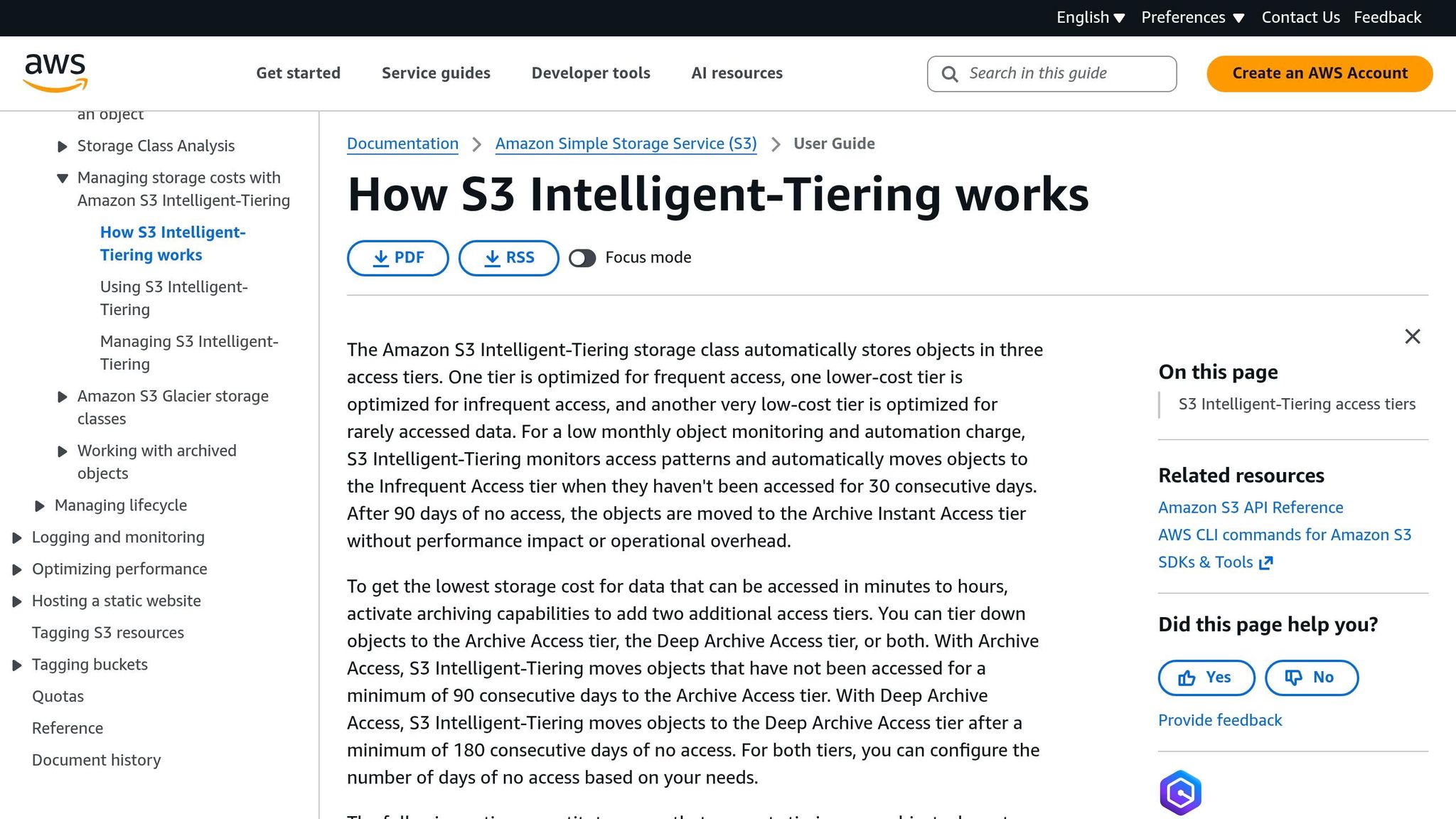
If your data usage is unpredictable - think data lakes, machine learning datasets, or user-generated content - S3 Intelligent-Tiering is a flexible choice. This class automatically shifts objects between tiers based on activity, moving data from Frequent Access to Infrequent Access after 30 days of inactivity, and to Archive Instant Access after 90 days. Plus, there are no retrieval fees .
There’s a small monitoring fee of $0.0025 per 1,000 objects for files over 128 KB. Smaller objects remain in the Frequent Access tier without incurring this fee .
For new applications with uncertain access patterns, Intelligent-Tiering can prevent costly mistakes. Take the example of a Fortune 500 retailer:
"We moved everything to Glacier to save money and our bill went up 40%. Turns out our application was accessing those files daily, and retrieval fees destroyed our savings."
– Engineering Director, Fortune 500 Retailer
Calculating Savings and Understanding Cost Trade-Offs
The financial benefits of picking the right storage class become apparent when you crunch the numbers. For example, a 1-petabyte bucket with 100 million objects in the US East region can yield different results depending on access patterns. If only 10% of the data is accessed once a month, switching to S3 Standard-IA can save around $90,583 annually compared to S3 Standard. However, if 30% of the data is accessed four times a month, retrieval fees for Standard-IA can push costs up to $307,994 - making it more expensive than S3 Standard, which would cost about $271,547. In this case, S3 Intelligent-Tiering could save $67,273 annually by eliminating retrieval fees.
Organizations have reported cutting storage costs by 30–70% by aligning storage classes with access needs. For instance, Teespring reduced monthly storage expenses by over 30% using a mix of S3 Glacier and Intelligent-Tiering, while Pomelo estimated 40–50% savings by migrating their data lake to Glacier storage classes.
However, be mindful of hidden costs. For example, PUT requests in Standard-IA cost $0.01 per 1,000 requests - twice the $0.005 rate in S3 Standard - so high-write workloads could drive up expenses. Additionally, minimum storage durations (30 days for Standard-IA, 90 days for Glacier Instant Retrieval, and 180 days for Deep Archive) mean you’ll incur charges even if you delete objects sooner. Running S3 Storage Class Analysis for at least 30 days before transitioning data can help you avoid these pitfalls.
These examples underscore the importance of matching storage choices to usage patterns, setting the foundation for better cost management over time.
Maintaining Long-Term Cost Efficiency
Using Storage Class Analysis for Continuous Optimization
Data access patterns don’t stay the same forever. What once saved you money could now be driving up your bill. That’s why running S3 Storage Class Analysis regularly is so important. This tool keeps an eye on access patterns at the bucket, prefix, or tag level and suggests when it’s time to move data from Standard to Standard-IA storage.
To get the most accurate picture, run the analysis for at least 30 days to capture a full billing cycle. Start by focusing on your five largest buckets. Many teams find that 20–40% of their S3 storage can be shifted to a lower-cost storage class without sacrificing performance. As Alexander Yu, a technical writer at AWS, advises:
"The single fastest win: run the S3 Storage Class Analysis tool on your five largest buckets and implement lifecycle rules in the same week."
Once you’ve optimized your storage, keep the momentum going by reviewing lifecycle policies every quarter. Use prefix or tag filters for more precise control. Don’t forget to clean up unnecessary storage fragments - set a lifecycle rule to automatically delete incomplete multipart uploads after 7 days. These fragments may seem harmless but can quietly add to your costs.
By staying proactive, you can ensure your storage and compute costs stay in sync.
Combining Storage Optimization with Commitment Management
Cutting storage costs is just one piece of the puzzle. Managing compute commitments can further boost your cost savings. While S3 lifecycle policies and Intelligent-Tiering help trim storage expenses, commitment management focuses on optimizing the compute resources that interact with your data.
Services like Opsima specialize in managing compute commitments, such as Savings Plans and Reserved Instances. By automating this process, Opsima works alongside your S3 optimization efforts to cut overall AWS costs. This combination of storage and compute optimization creates a more complete approach to managing expenses.
Best Practices for Sustained Cost Savings
Long-term cost efficiency isn’t about quick fixes - it’s about consistent, thoughtful management. Here’s how to keep costs under control as your data needs evolve:
- Use tag-based lifecycle policies to align storage with business goals. For instance, apply different rules for tags like
DataType:LogsversusDataType:Complianceto avoid unnecessary retention. - Monitor retrieval activity with CloudWatch alarms. Set alerts for
BytesDownloadedon IA buckets to catch high retrieval rates. If monthly access exceeds 45%, it might be cheaper to move that data back to Standard storage. - Regularly review object sizes. Large objects can lead to unexpected charges, so it’s worth keeping an eye on.
- Take advantage of S3 Storage Lens for a big-picture view across accounts and regions. This tool helps you spot trends, like incomplete multipart uploads or buckets with low access rates, so you can address cost drift before it becomes an issue.
Conclusion: Aligning Access Patterns with Storage Classes
Managing S3 costs effectively comes down to one simple principle: aligning your access patterns with the right storage class. The pricing differences between classes are huge - S3 Standard runs $0.023/GB-month, while S3 Glacier Deep Archive is just $0.00099/GB-month. But picking the cheapest option without considering how you actually use your data can backfire. As Corey Quinn, Chief Cloud Economist at The Duckbill Group, explains:
"The biggest mistake I see organizations make is treating all data equally. A 5-year-old compliance document doesn't need the same retrieval speed as today's user-generated content, yet 80% of companies store both in S3 Standard."
To avoid this pitfall, start by using S3 Storage Class Analysis to track your usage patterns over at least 30 days. Many companies find that 20–40% of their data can be shifted to lower-cost storage classes without affecting performance. For predictable data patterns, lifecycle policies are your best friend. And when in doubt, S3 Intelligent-Tiering can save you up to 95% automatically, with no retrieval fees.
Of course, storage is just one piece of the puzzle. Since storage costs typically make up 25–40% of AWS bills, pairing S3 strategies with broader cost management tactics is essential. Tools like Opsima can help by automating cost commitments for services like EC2, Lambda, and RDS, giving you a more holistic approach to AWS cost efficiency.
Staying ahead requires regular maintenance. Review your lifecycle policies every quarter, track retrieval trends with CloudWatch, and clean up incomplete multipart uploads. Without a clear S3 strategy, companies risk overspending by tens of thousands of dollars annually per petabyte stored. But with the right tools and consistent monitoring, you can keep your costs under control and avoid unnecessary expenses.
FAQs
How do I know when Standard-IA will cost more than Standard?
When comparing Standard-IA to Standard, the lower storage price of Standard-IA might seem appealing at first. However, it could end up costing more if retrieval fees, access charges, or minimum billing requirements add up. This is especially true if your data is accessed often or if retrieval expenses surpass the savings from cheaper storage rates. To make the best choice, take a close look at how frequently you access your data and calculate the overall costs.
What S3 fees surprise people most when switching storage classes?
When switching between S3 storage classes, request and transition charges can catch you off guard. For instance, moving data from S3 Standard to S3 Standard-Infrequent Access comes with a $0.01 fee for every 1,000 requests, plus one-time transition costs. These fees can add up quickly, making it essential to understand them to keep your expenses under control.
How do I choose between lifecycle rules and Intelligent-Tiering?
Choosing between lifecycle rules and Intelligent-Tiering comes down to how your data is accessed.
- Lifecycle rules are a great fit when you have predictable access patterns. They allow you to set up automated transitions to more cost-effective storage or even delete data that's rarely accessed.
- On the other hand, Intelligent-Tiering is better suited for data with unpredictable or fluctuating access patterns. It automatically moves data between storage tiers based on usage, saving you from the hassle of manual adjustments.
Each approach has its strengths, so the right choice depends on the nature of your data.