Understanding the AWS Cost Efficiency Score: A Deep Dive

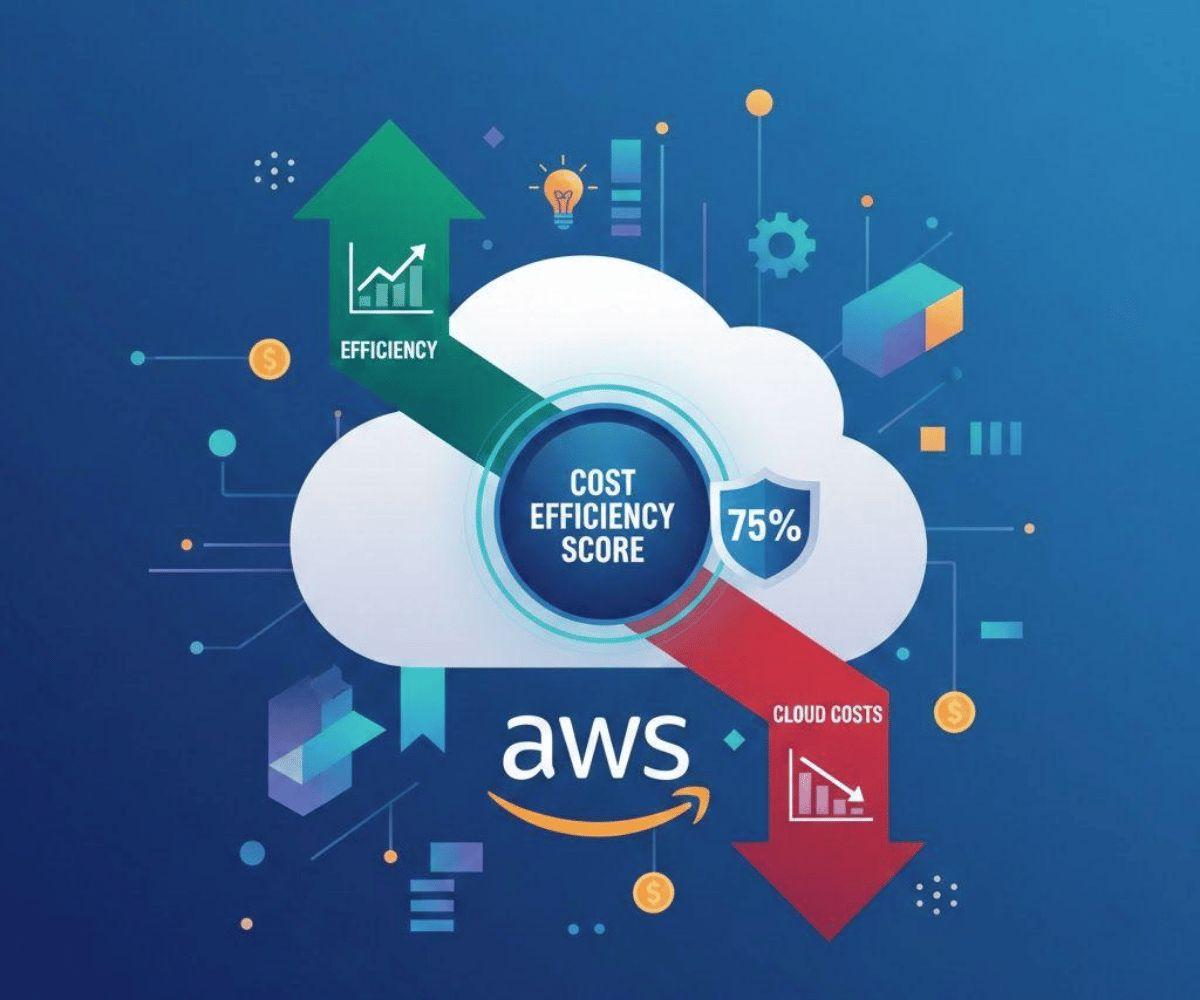
In 2026, waste is expected to account for over 35% of cloud spending. This shows just how quickly cloud costs can drift as IT environments scale.
As cloud infrastructures continue to expand and take on a more central role across businesses, building efficient, well-instrumented, and intentionally optimized systems will become critical.
To that end, AWS introduced a new tool at re:Invent 2025: the Cost Efficiency Score.
Available in Cost Optimization Hub, the Cost Efficiency Score is intended to help teams quantify and track optimization progress with a single, daily-updated metric.
It expresses deduplicated potential savings relative to addressable AWS spend, and surfaces concrete levers, such as rightsizing, removing idle resources, and deploying commitments (Savings Plans and Reserved Instances) so one can prioritize actions with the clearest financial impact.
Key Takeaways:
What is the Cost Efficiency Score: A percentage based metric showing how optimized an AWS infra is from a cost perspective
How is the Cost Efficiency Score computed: [1 - (Potential Savings / Total Optimizable Spend)]
Why the Cost Efficiency Score matters:
- Single standardized metric teams can align on
- Automatically refreshed daily, no adhoc analysis
- Easy to track progress over time
- Surfaces concrete cost-saving opportunities
How to Improve the Cost Efficiency Score:
- Resize resources to match usage
- Remove unused assets (e.g., idle EC2 instances, unattached EBS volumes)
- Use Savings Plans or Reserved Instances for predictable workloads
AWS Cost Efficiency Score: Formula, Components, and Optimization Strategy
Getting Started with AWS Cost Optimization Hub
How the AWS Cost Efficiency Score Works
Understanding how the Cost Efficiency Score is calculated will help you identify what drives it and how to improve it.
The formula itself is relatively straightforward, but knowing what factors are included - and which are not - is what will point you toward the most meaningful cost optimizations levers. Here's a closer look at how the score works and what it measures.
The Calculation Formula
The formula for AWS cost efficiency is:
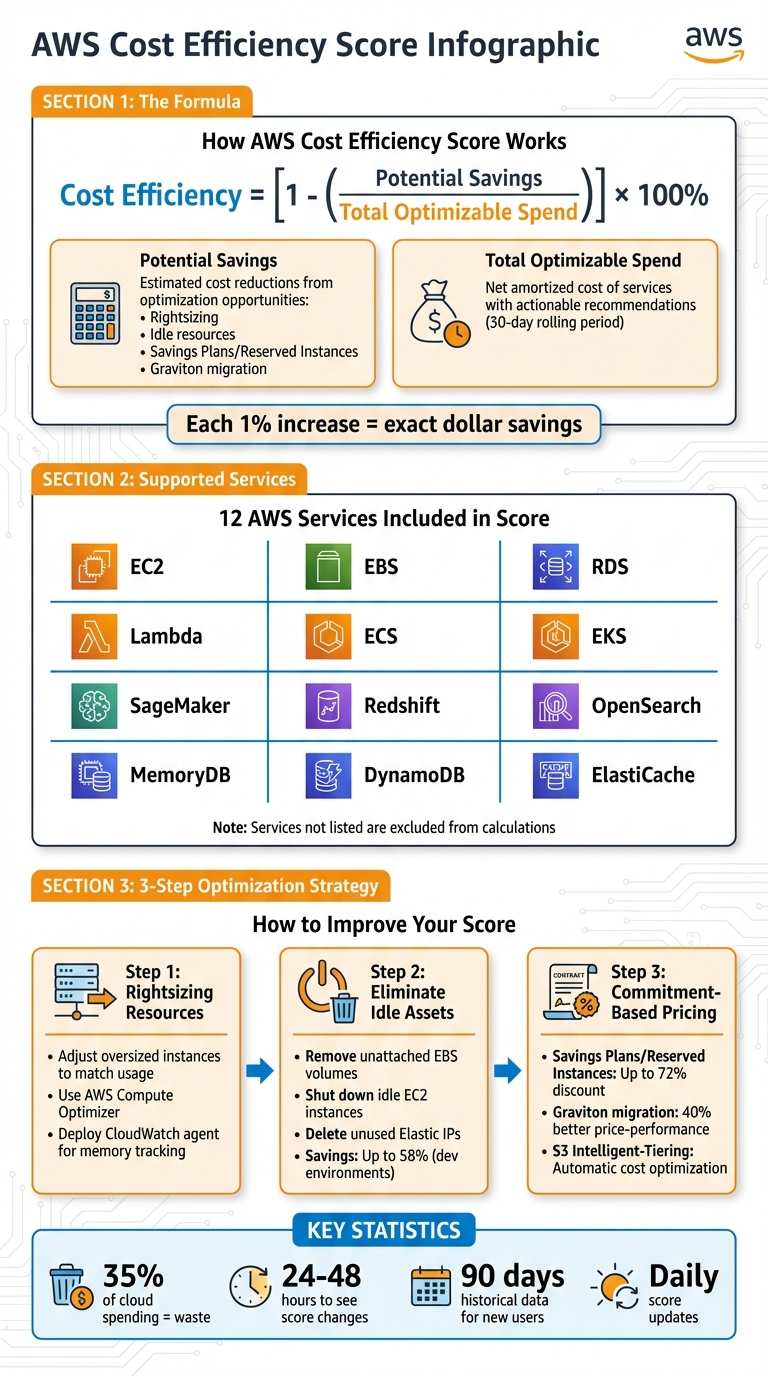
Cost efficiency = [1 - (Potential Savings / Total Optimizable Spend)]
This formula compares the potential savings from optimizations to your current spending on services eligible for recommendations.
-
Potential Savings: This represents the estimated cost reductions across all optimization opportunities. Examples include
- Resizing oversized instances
- Shutting down idle resources
- Leveraging Savings Plans or Reserved Instances
- Migrating workloads to more cost-effective options like Graviton processors
- Total Optimizable Spend: This refers to the net amortized cost of services with actionable recommendations. It includes spending on supported services.
"Each percentage increase of your cost efficiency score correlates to an exact dollar savings amount." – AWS Cloud Financial Management Blog
Data Timeframes and Updates
The score is calculated using a rolling 30-day spending period, compared to the current day's savings opportunities.
For instance, if you check your score on December 18, 2025, it reflects spending from November 18 through December 17, while incorporating optimization recommendations available on December 18.
This method balances real-world spending patterns with up-to-date recommendations. The score updates automatically every 24 hours. If you implement a recommendation - like stopping an unused RDS instance - you'll typically see the impact within 24 to 48 hours.
What's Included and What's Not
The score focuses on AWS services where the Cost Optimization Hub provides actionable recommendations. These include:
Services outside this list are excluded from both the potential savings and total optimizable spend calculations.
For example, if $20,000 of a $50,000 monthly spend is on unsupported services, only $30,000 is factored into the score. While this doesn’t affect the percentage itself, it means part of your AWS usage isn’t reflected in the calculation.
How to Find and Read Your AWS Cost Efficiency Score
Finding the Score in AWS
You can locate your Cost Efficiency Score in the Cost Optimization Hub within the AWS Billing and Cost Management console.
To access the score, you must fist enable it. After you clicked Enable, keep in mind there’s a 24-hour delay for the initial data to populate. Once enabled, you can use the dashboard’s filters - such as account, Region, resource tags, implementation effort, and restart requirements - to focus on the top optimization opportunities.
The Hub is available at no extra cost for all customers, except those using AWS China and GovCloud regions. Updates are provided daily, and you can view the data via the AWS Management Console, CLI, or SDKs.
Additionally, the "Aggregate estimated savings by" feature groups recommendations by account or Region, making it simpler to identify priority areas for improvement.
Once you’ve accessed the score, the next step is understanding what it reveals about your resource usage.
What Your Score Means
The AWS Cost Efficiency Score reflects how well you’re managing AWS resources in comparison to potential savings. A higher score indicates that your spending is closer to being optimized, while a lower score suggests there’s room for improvement.
The dashboard also provides valuable metadata - like the level of implementation effort required, whether a restart is necessary, and if changes can be rolled back - helping you prioritize actions based on risk and reward.
Tracking Changes Over Time
When you implement recommendations, the results typically show up within 24–48 hours. New users are given 90 days of historical data to get started, and you can switch between Chart and Table views to monitor how your savings evolve.
For a broader perspective, you can use AWS Cost Explorer alongside the Hub to access up to 13 months of historical cost and usage data. This helps you identify long-term spending patterns.
By grouping data using tag keys, you can also track the performance of specific projects or departments over time, ensuring that each team stays on track with their optimization goals.
sbb-itb-0f2edab
How to Improve Your AWS Cost Efficiency Score
Main Optimization Opportunities
Improving your Cost Efficiency Score boils down to one thing: reducing the Potential Savings figure. The formula [1 - (Potential Savings / Total Optimizable Spend)] highlights that cutting waste directly boosts your score.
To make this happen, focus on three main strategies: rightsizing resources, eliminating idle assets, and leveraging Savings Plans or Reserved Instances.
Rightsizing involves adjusting oversized resources to match actual usage. Tools like AWS Compute Optimizer can help identify over-provisioned EC2 instances, RDS databases, and Lambda functions. For better accuracy, deploy the CloudWatch agent to track memory usage - without this, recommendations are based only on CPU and network data, which can lead to less precise adjustments.
Cleaning up idle resources is another quick win. This means terminating unused resources like unattached EBS volumes, idle load balancers, or unused Elastic IPs. Automating this process with tools like AWS Instance Scheduler can make a big difference. For example, shutting down development environments outside of business hours (e.g., 8:00 AM to 6:00 PM) can save up to ~60% on costs.
Commitment-based pricing offers discounts of up to 72% when you purchase Savings Plans or Reserved Instances. Additionally, migrating to AWS Graviton-powered instances can improve price-performance by up to 40% compared to x86-based processors.
Choosing Which Actions to Take First
Once you’ve identified optimization opportunities, prioritize them by balancing their impact against the effort required. The Cost Optimization Hub provides valuable insights, labeling each recommendation with effort levels - Very Low, Low, Medium, High, or Very High - and indicating whether a resource restart is necessary or if rollback is possible.
Start with "Very Low" effort actions, like purchasing Savings Plans or Reserved Instances. These require no downtime and deliver immediate savings. Then, move on to "Low" effort tasks, such as deleting unused EBS volumes or stopping idle EC2 instances.
To avoid disruptions, use the Hub’s filters to focus on recommendations that don’t require restarts. For rightsizing, pay attention to the "Current Performance Risk" column in Compute Optimizer to ensure you don’t under-provision resources, which could create operational issues. To maximize efficiency, rank tasks by dividing the potential monthly savings by the investment required (time, technical risk, and impact on customers).
How Opsima Can Help
Opsima simplifies and automates much of the heavy lifting involved in cost optimization. It handles AWS resource commitments, monitors your infrastructure in real time, and manages Savings Plans and Reserved Instances across EC2, RDS, Lambda, and other services. This automation can capture up to 40% in savings without requiring manual input. By continuously improving your Cost Efficiency Score, Opsima allows your team to focus on innovation rather than chasing cost reductions.
Conclusion
The AWS Cost Efficiency Score provides a straightforward way to measure how effectively your cloud resources are being utilized. By tying this score directly to dollar savings, it simplifies the process of showcasing ROI to leadership while also serving as a tool for ongoing optimization.
Keeping an eye on daily updates helps catch inefficiencies early, preventing idle or oversized resources from driving up costs. Studies indicate that over 35% of cloud spending is often wasted, so focusing on this metric can help avoid unnecessary expenses.
"Cost efficiency in Cost Optimization Hub transforms how organizations measure and improve cloud cost efficiency providing a daily updates provide timely feedback loop that motivates continuous improvement." - AWS Blog
The score can also be used to compare performance across teams, accounts, and regions, offering insights into best practices from top-performing groups. By monitoring both daily fluctuations and monthly trends, you can address immediate issues while recognizing larger patterns in infrastructure usage over time.
FAQs
What is the AWS Cost Efficiency Score, and how does it help reduce cloud expenses?
The AWS Cost Efficiency Score evaluates how well your cloud resources are being used and highlights areas where you can cut costs through adjustments like rightsizing. A higher score suggests there’s room to save money by addressing inefficiencies or underused resources.
Improving this score allows you to take specific steps to reduce wasteful spending, fine-tune your AWS setup, and enhance financial results - all while maintaining performance.
How can I quickly improve my AWS Cost Efficiency Score?
If you want to improve your AWS Cost Efficiency Score quickly, start by tackling inefficiencies in your cloud setup. Key steps include shutting down or removing unused resources, adjusting over-provisioned instances to the right size, and investing in Savings Plans or Reserved Instances to cut down on on-demand expenses.
You might also benefit from upgrading to newer instance types for better performance at a lower cost and switching workloads to Graviton instances where it makes sense. These adjustments can help you lower your AWS bills while keeping your systems running smoothly.
How often is the AWS Cost Efficiency Score updated, and what does it represent?
The AWS Cost Efficiency Score updates daily, offering a quick view of how well you're optimizing your cloud expenses. It highlights the percentage of your AWS spending from the past 30 days that could be improved based on available savings opportunities.
This score serves as a helpful tool for monitoring your progress and pinpointing areas where costs can be trimmed without compromising performance. Regularly checking this score allows you to make informed adjustments to refine your cloud spending strategy.